Selah vs e-Sword
An e-Sword alternative for connected Bible study
Choose e-Sword for an installed reference library and powerful lookup tools. Choose Selah when you want the passage, observation, question, prayer, and note from your own study to stay connected and return when you need them.
What Selah does differently
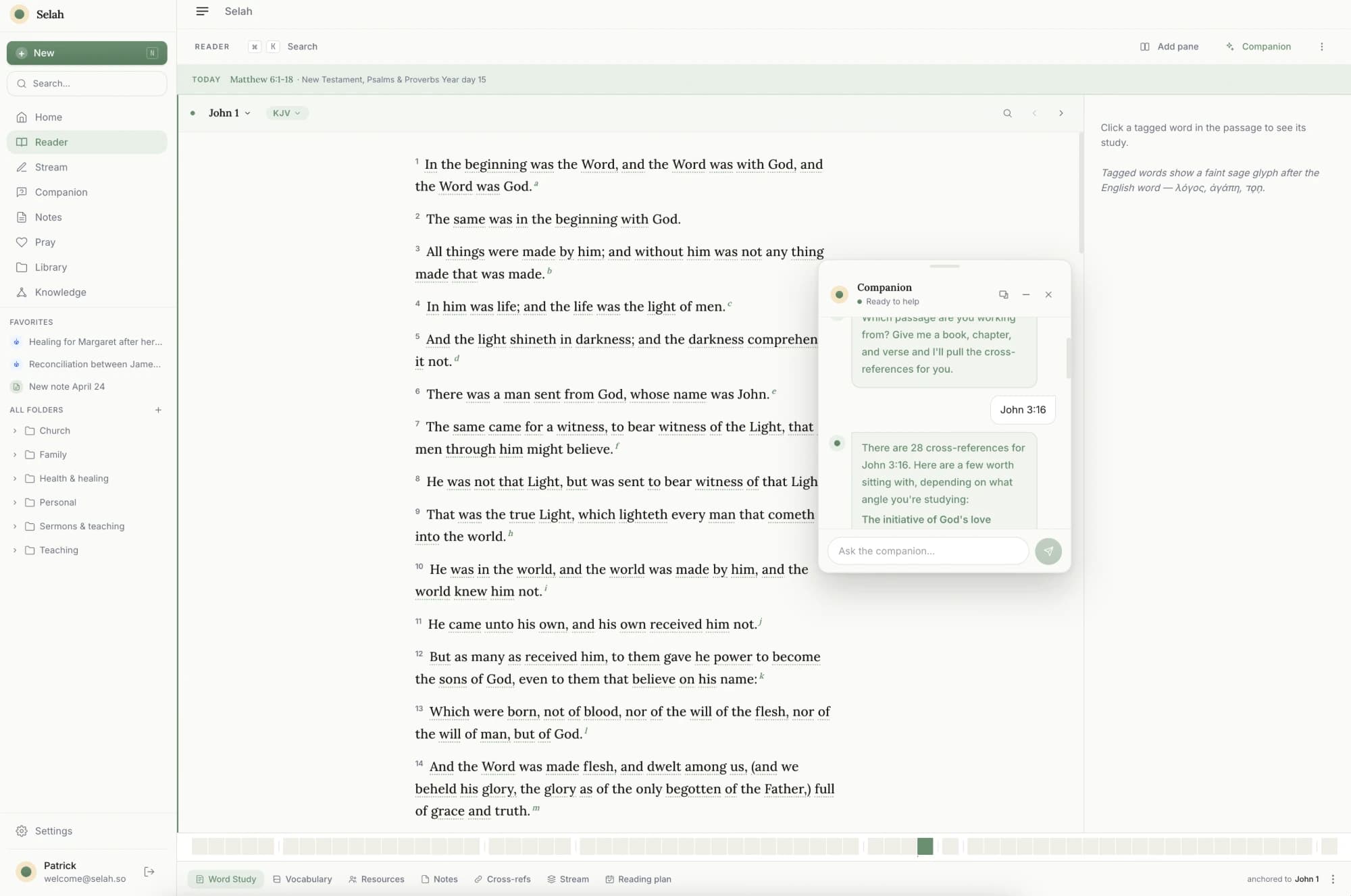
Selah is a web-based Bible study workspace for the work you do around the text. Read a passage, highlight a phrase, capture what you notice, develop it in notes, carry it into prayer, and think it through with a Socratic companion grounded in your own study.
e-Sword is established Bible study software with Bibles, commentaries, dictionaries, Strong's-based search, an integrated editor, and downloadable resources. Its Windows edition is free, and versions are available for Android and Apple devices.
The practical difference is focus. e-Sword helps you look up more about a passage. Selah helps you keep and develop what you notice in it. Some readers may use e-Sword for reference work and Selah as the connected home for their own study.
Selah vs e-Sword, at a glance
An honest comparison. Where e-Sword is stronger, we say so.
- Bible reference library
- SelahLighte-SwordHundreds of downloadable resources
- Original-language help
- SelahInline word studye-SwordStrong's search and dictionaries
- Notes
- SelahConnected to passages and memorye-SwordIntegrated study and topic editors
- Custom reading plans
- SelahGenerated from a goale-SwordBuilt manually
- Prayer
- SelahBoard, history, sessions, reminderse-SwordPrayer request tool
- Socratic study companion
- Selah✓e-Sword—
- Where it runs
- SelahWeb, Telegram, and iPhone and iPad (beta)e-SwordInstalled desktop and mobile apps
- Starting price
- SelahFree coree-SwordWindows edition free
| Feature | Selah | e-Sword |
|---|---|---|
| Bible reference library | Light | Hundreds of downloadable resources |
| Original-language help | Inline word study | Strong's search and dictionaries |
| Notes | Connected to passages and memory | Integrated study and topic editors |
| Custom reading plans | Generated from a goal | Built manually |
| Prayer | Board, history, sessions, reminders | Prayer request tool |
| Socratic study companion | ✓ | — |
| Where it runs | Web, Telegram, and iPhone and iPad (beta) | Installed desktop and mobile apps |
| Starting price | Free core | Windows edition free |
When to choose e-Sword
Choose e-Sword when you want an installed reference library, offline access, extensive downloadable modules, parallel Bible views, or Strong's-based searching. It has been refined for this kind of study for decades, and its free Windows edition is a common pick for pastors on a tight budget.
When to choose Selah
Choose Selah when the thing you most want to keep is your own study: the phrase you highlighted, the question you carried, the prayer it became, and the note you will need months later. The companion helps you examine the passage without writing the interpretation for you, and custom plans can match the season you are in.
Questions
- Does Selah replace e-Sword's reference library?
- No. e-Sword offers a much larger collection of downloadable Bibles, commentaries, dictionaries, and reference modules. Selah focuses on the connected read-reflect-remember rhythm around your own study.
- Can I move e-Sword notes into Selah?
- Selah does not have a direct e-Sword importer today. If you can copy or export your notes into Word, PDF, markdown, or plain text, Selah can import those files as notes. Review the imported result before treating the move as complete.
- Is Selah free like e-Sword for Windows?
- Selah's reader, notes, prayer board, curated plans, and a limited companion allowance are free with no card. Selah Plus adds the unlimited companion, full knowledge map, and advanced features.
- Is e-Sword good bible software for pastors?
- Yes, especially on a budget — it's free on Windows, with a real reference library and Strong's-based search. What it doesn't do is capture and connect your own sermon notes over time; that's the gap Selah fills alongside it.
Compare, then keep exploring
Try Selah with your next passage
Read, capture what stands out, and talk it through with a companion that keeps your own study in view.
Start studying freeFree to start. No credit card.